
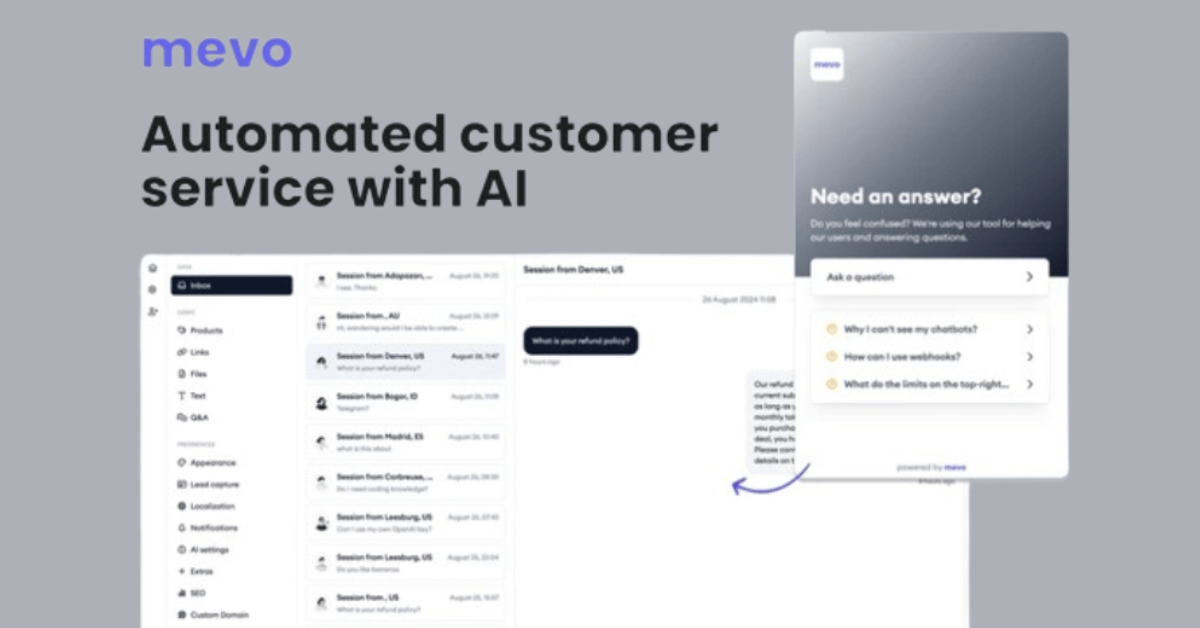
Mevo is a streamlined customer support tool designed to automate your workflows effortlessly. You can train your AI agent using diverse sources, including raw text, Q&A pairs, public web resources, files, or Shopify product exports.
Deploy your AI support agent on your website, handle all conversations directly from your inbox, capture leads with customizable features, invite team members, and integrate with your daily tools via webhooks.
Best of all, no coding is required.
Save 84%—Get It Now for Just $59!
Here are some additional standout features you’ll love:
- Utilize your own key to access a range of models, including GPT-4o, GPT-4o-mini, and more.
- Connect your OpenAI Assistants through the Assistants API for enhanced functionality.
- Link your custom domain to your chatbot, making it easily accessible via a shared link.
- Customize SEO settings with options for title, description, keywords, and og_images to optimize social media feeds.
- Deploy rule-based chatbots for surveys and lead generation.
Use your public web content as a resource, and choose which pages should be learned before starting training.
Leveraging your public web content is vital for effective training. Prior to starting the training process, carefully choose which pages from your website to prioritize. This strategic selection ensures that your AI agent has access to the most relevant and current information.
You have numerous options for training your AI agent, making the process incredibly versatile.
You can train your AI agent using a variety of file types, including Word documents, PowerPoint presentations, source code in languages such as C, PHP, and HTML, PDF files, and other files with over 20 different extensions.
Add email or webhook receivers to any agent.
You can add webhook or email notification receivers to any agent in your organization; however, the person you should add as an email receiver must be a user or give you communication consent as a notification receiver.
Select your theme, customize the call-to-action texts, and incorporate your brand image.
Customize your popup appearance with color, position, localization options, brand image, and more.
Select the most suitable lead capture options for your specific needs.
Choose to display email inputs after the initial interaction, make the lead capture form mandatory before the conversation begins, or disable this feature altogether.
Captured lead information will appear in both your inbox and email notifications. Additionally, lead details are included in the webhook payload, allowing integration with any tool through Zapier.
All text in the lead capture form is fully customizable for localization.











0 Comments